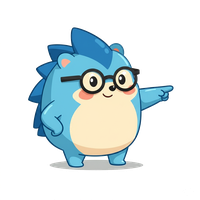
Naggy the hedgehog
Quiet pings every 5–15 min

Stay on the things
you said mattered.

Naggy drops by every few minutes to gently point you back. One click. Under two seconds. He's on your side.

Your team

Two characters.
One small, honest app.

Naggler isn't automating you, replacing you, or writing your emails. It's a two-person show: you set what mattered today, Naggy keeps pointing you back at it when you drift. The tracking happens quietly in the background.

Naggy waving
Your desktop companion

Naggy

Small hedgehog. Mild temper. Believes in you. Drops by every few minutes with one question: what are you working on right now? He's on your side — less auditor, more buddy with a gentle elbow.

"I know you've got this. Just come back to the thing you said was the thing."
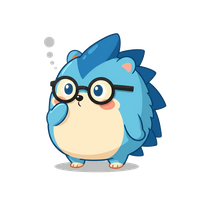
YOU
The one driving

You

You set what matters today. You click the buttons. Everything interesting happens in that tiny loop: declare a priority, get gently reminded, do the work, answer the ping, keep going.

Download Naggler and get started Works on Windows, Mac, and Linux. Desktop only.
How it works

Nothing to learn.
Simple by design.

Naggy lives in the tray, pops by a few times an hour to check in, then gets out of your way. You can be running him inside of sixty seconds.

01

Set your intention

Decide on today's priorities. Drag to rank. That's it. You can even ask Naggy for help if today feels fuzzy.

02

Get gently redirected

Naggy peeks in as often as you'd like. One click to log, then he's gone in under two seconds. No lost momentum.

03

Actionable clarity

Naggy shows you where your time actually went. If something was off, you noticed in the moment — not a week later.

Talk to Naggy

Talk to Naggy
in plain English.

Naggy isn't just a button. He helps you rank what matters, breaks fuzzy goals into bite-sized tasks, and — when you're frozen — suggests the next smallest thing you can actually do.

  • "Help me put first things first." He looks at your top 3 and asks the one sharp question that re-ranks them.
  • "Break this down for me." A vague "write the proposal" becomes four concrete steps you can click through.
  • "What should I do right now?" Given your day so far and what's on the list, he picks a bite-sized next move.
Under the hood

A little AI, pointed the right way.

Three ways to power Naggy's brain — Naggler Cloud (powered by Anthropic, default for new users), Bring Your Own Key, or fully local with Ollama. Most people never think about it. If you want to, we laid it out.

See how Naggy's brain works →

Start today. No sign-up.

Free to use. No account to create. Naggler lives on your desktop and keeps its ledger locally. Pick your platform — you're running in under a minute.

No account. No newsletter. No nonsense.

v1.10.9 · First-launch warnings are normal — we're working with Apple and Microsoft on code signing. More detail in the FAQ.

Naggy wearing a crown
Mo' Naggy.
Less problems.
With apologies to Biggie